
Finish the daily report before the crew leaves the site.
Record labor, completed work, delays, equipment, materials, and jobsite photos in one mobile workflow.
Try the Daily Report AppWorks with or without a reliable connection.
Or customize it to your own workflow
We’ll use this app as a model and build yours from your description or file.
Stop rebuilding yesterday from texts and photos.
The foreman knows what happened on the job.
The office needs that information too.
BizAppKit gives your field team one place to record the day while the details are still fresh.
A daily report can include:
Crew and labor hours
Work completed
Areas worked
Quantities installed
Equipment used
Materials used
Delays
Weather
Deliveries
Issues
Progress photos
Notes
You decide which sections your crews actually need.
See the report your foreman fills in.
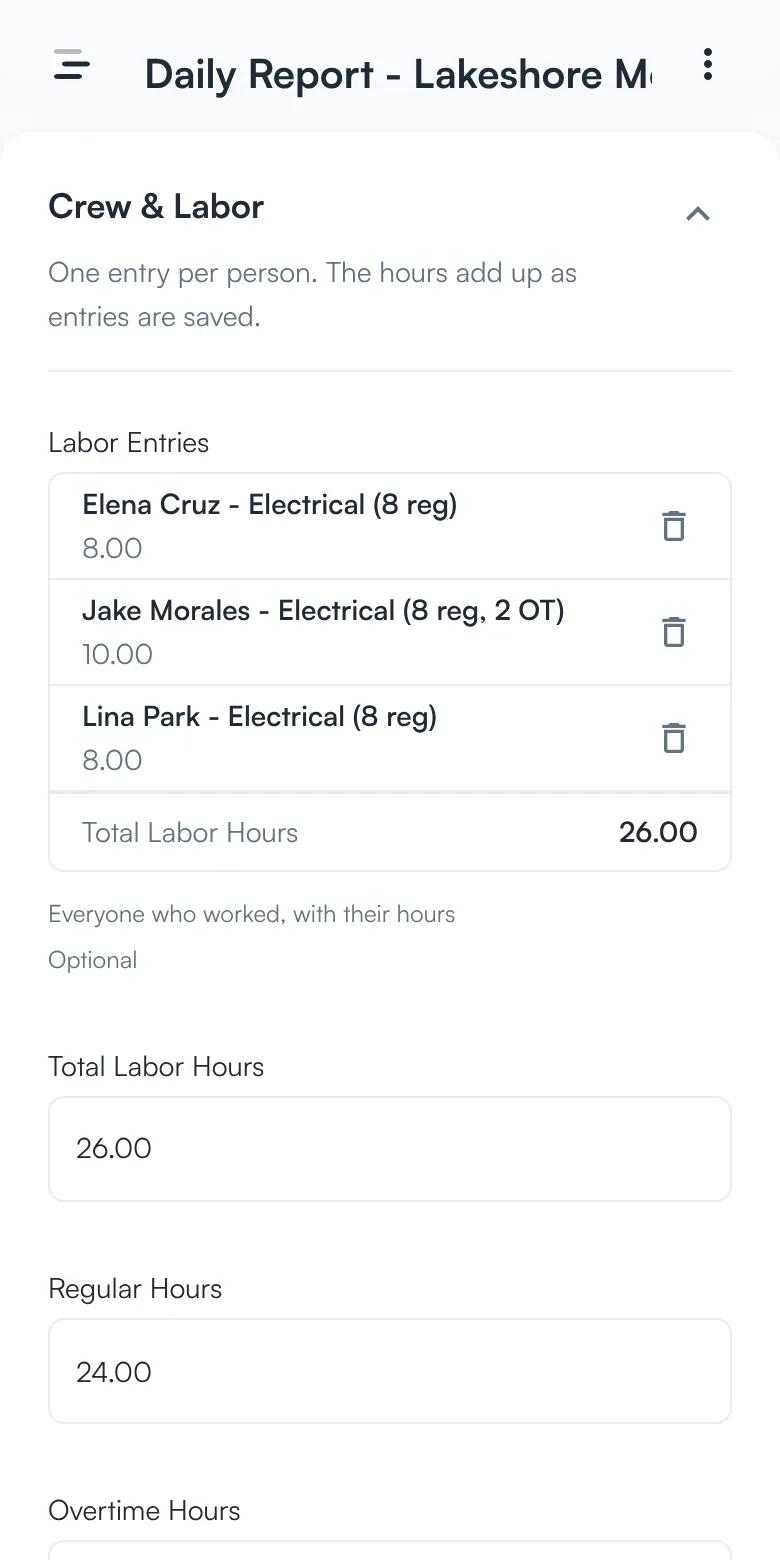
Log the crew and their hours.
One entry per person, with regular and overtime hours. The hours add up as entries are saved.
Crew member → regular and overtime hours → total hours
See the whole day at a glance.
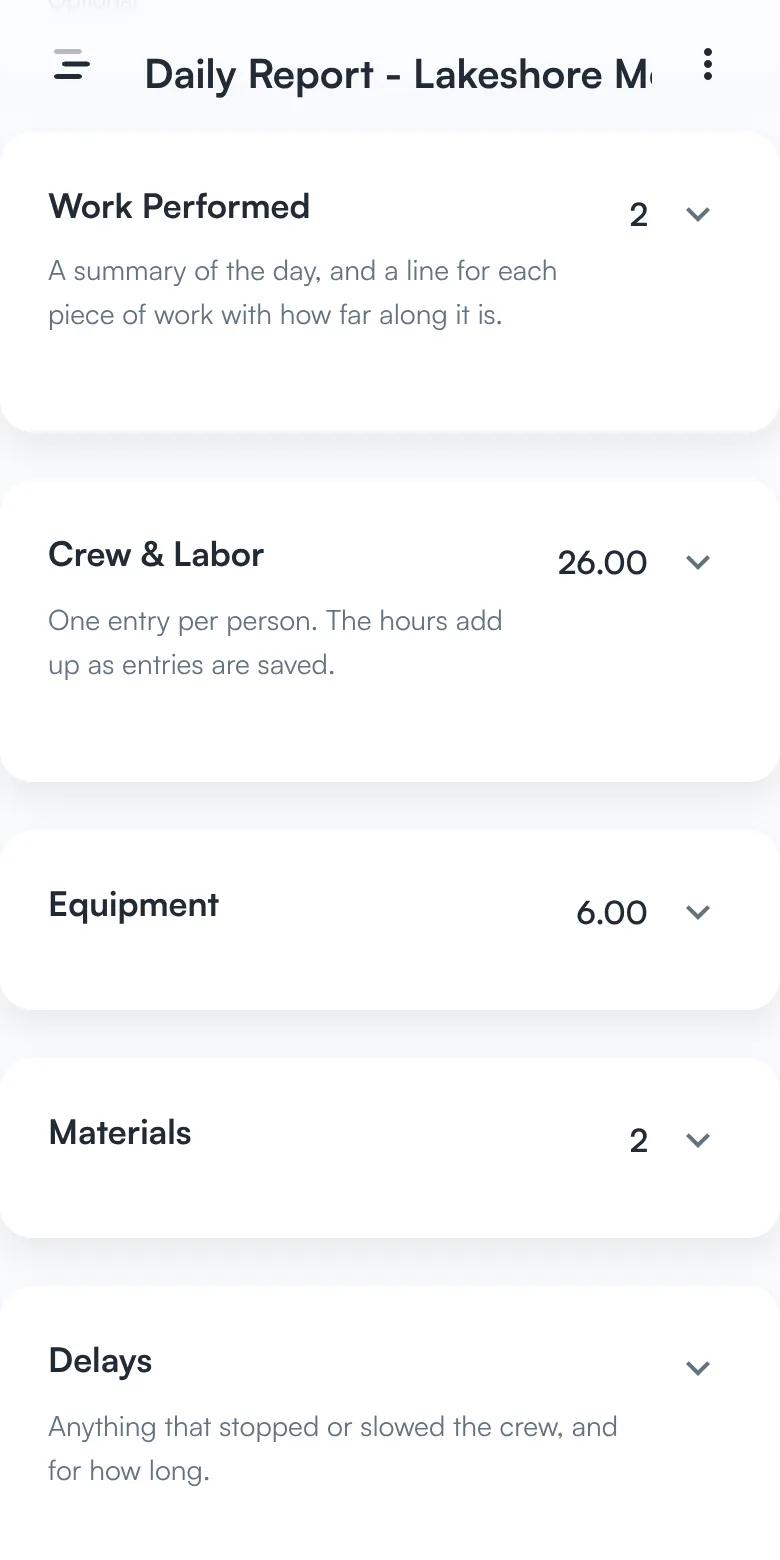
Fold the sections you are finished with. Each header keeps its total: activities, labor hours, equipment hours, and material lines.
Work performed → crew → equipment → materials
Sign it off.
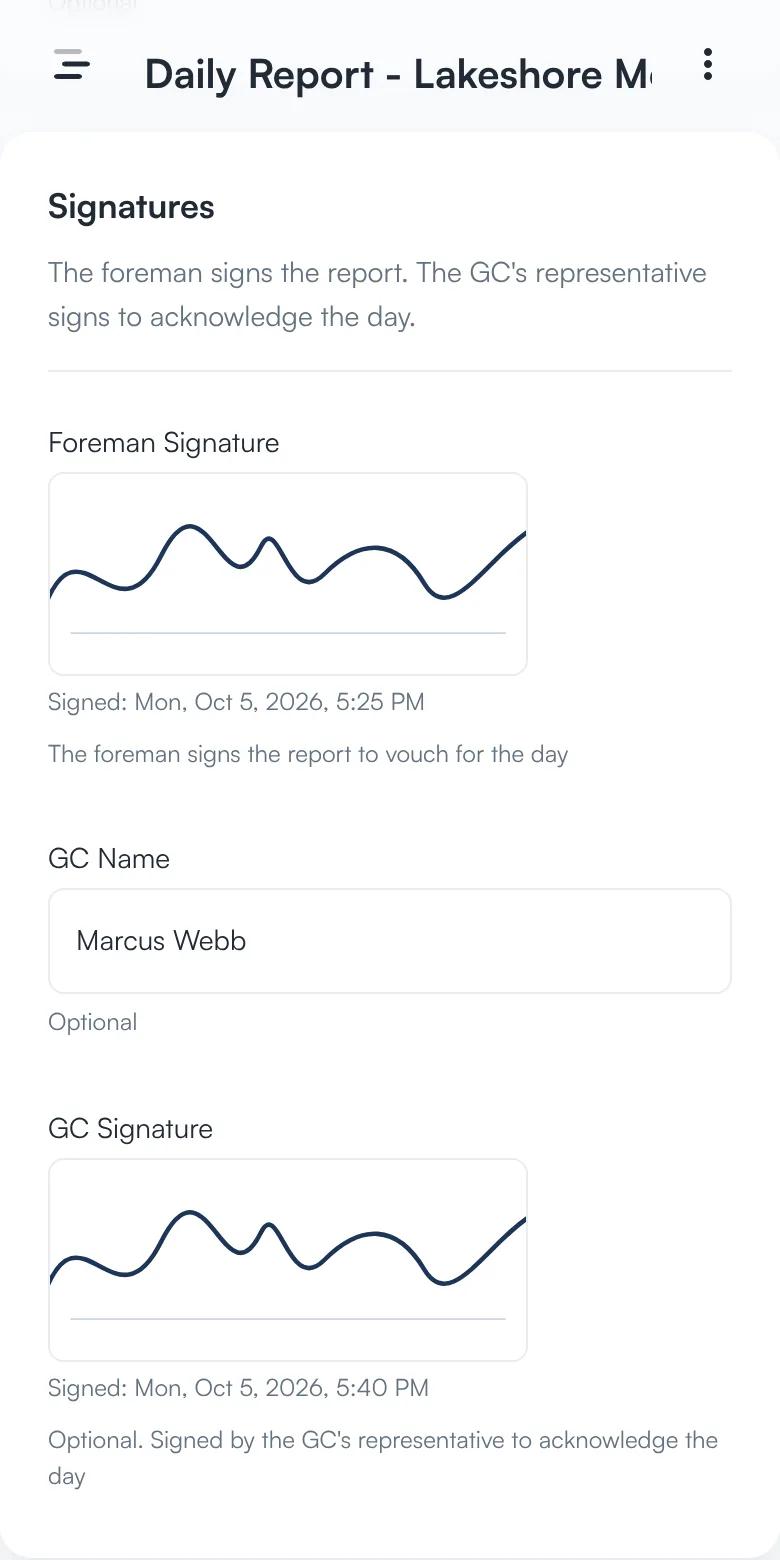
The foreman signs the report, and the GC’s representative can sign to acknowledge the day. Both signatures print on the PDF.
Foreman signature → GC name → GC signature
Screens from the app, with sample data.
One report. Your workflow.
An electrical contractor may need:
- Crew
- Cost Code
- Work Performed
- Conduit Installed
- Photos
An HVAC contractor may need:
- Crew
- Equipment
- Area
- Installation Progress
- Issues
A roofing contractor may need:
- Crew
- Weather
- Area Completed
- Materials
- Photos
BizAppKit starts with the same construction foundation and adapts the report to the work your company performs.
Make the field entry fast.
The report can prefill:
Project
Date
Foreman
Crew
Common activities
Cost codes
Equipment
Material units
The field team records what changed instead of filling out the same information every day.
See what is happening across the project.
The office can see:
Total labor hours
Overtime hours
Reports submitted
Open issues
Work completed
Delays
Project photos
Calculated values update from the underlying field records instead of being manually re-entered.
Work offline on the jobsite.
Daily reporting should not depend on whether a particular corner of a concrete building happens to have five bars.
Crews can capture information offline and sync it later.
Add more when you need it.
Daily reporting can be combined with:
T&M / extra work tickets
QA/QC inspections
Punch lists
Equipment usage
Material deliveries
Safety forms
Work orders
Photo documentation
Start with the workflow you need now instead of deploying a giant construction platform on day one.
Replace the daily-report paperwork, not your entire business.
Build a field report around the information your office actually needs.
Try the Daily Report App