
Document extra work before it gets disputed.
Capture labor, materials, equipment, photos, and customer approval while the work is still happening.
Your field team gets a simple T&M ticket app built around the way your company already works.
Try the T&M AppWorks offline. Syncs later.
Or customize it to your own workflow
We’ll use this app as a model and build yours from your description or file.
Extra work is easy to perform. Getting paid for it is harder.
A superintendent asks your crew to move equipment, reroute conduit, replace damaged material, or complete work outside the original scope.
The work gets done.
Then the office has to reconstruct what happened from texts, photos, handwritten tickets, and someone’s memory.
BizAppKit keeps the documentation together from the start.
One ticket can include:
Labor hours
Materials used
Equipment time
Work description
Location
Requested by
Before and after photos
Customer or GC signature
Date, time, and GPS
PDF record for the office
See the ticket your crew fills in.
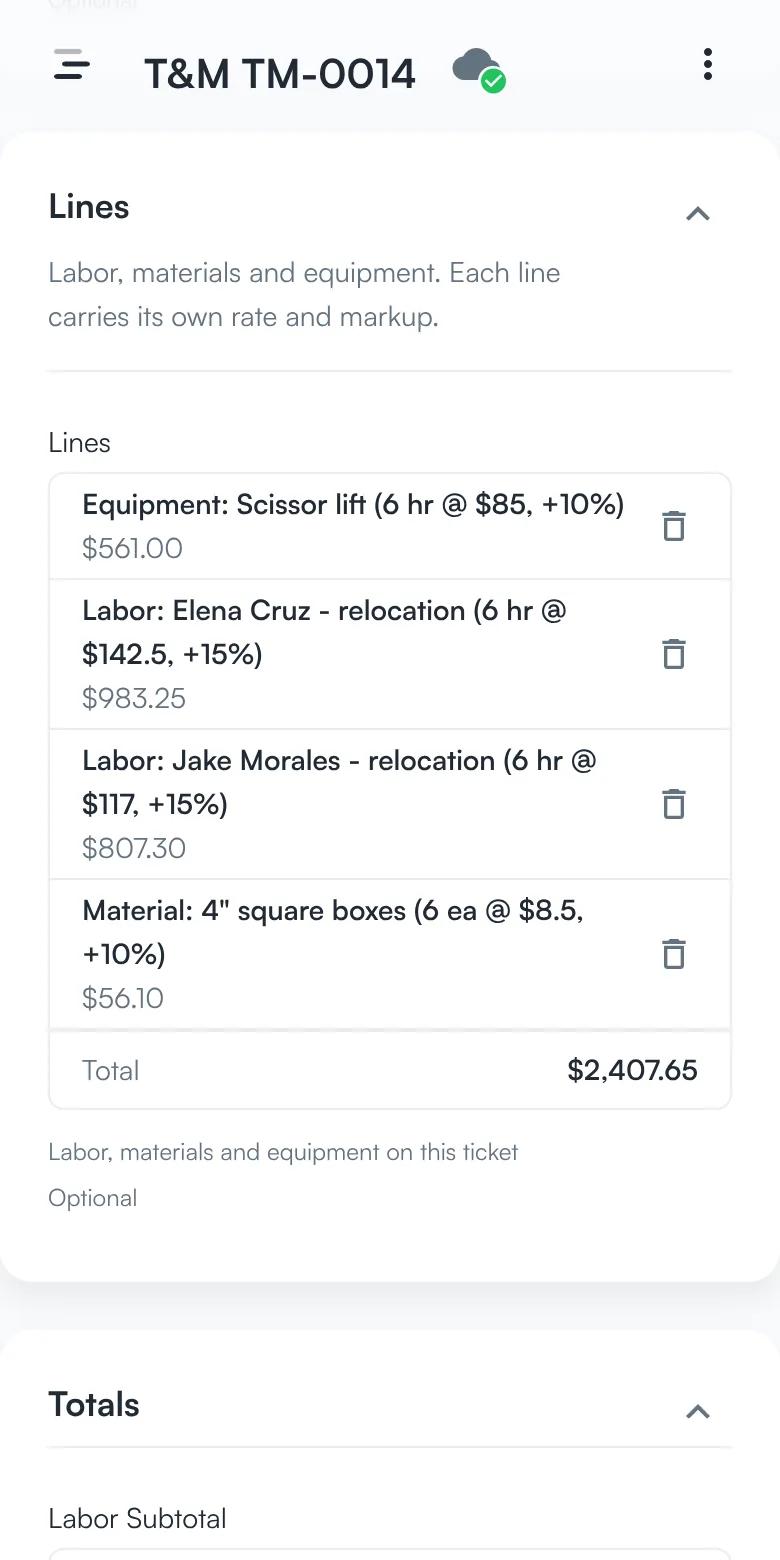
Add every line as it happens.
Labor, materials, and equipment each go on the ticket as their own line, with a quantity, a rate, and a markup. The total adds up as lines are saved.
Labor + materials + equipment → markup → ticket total
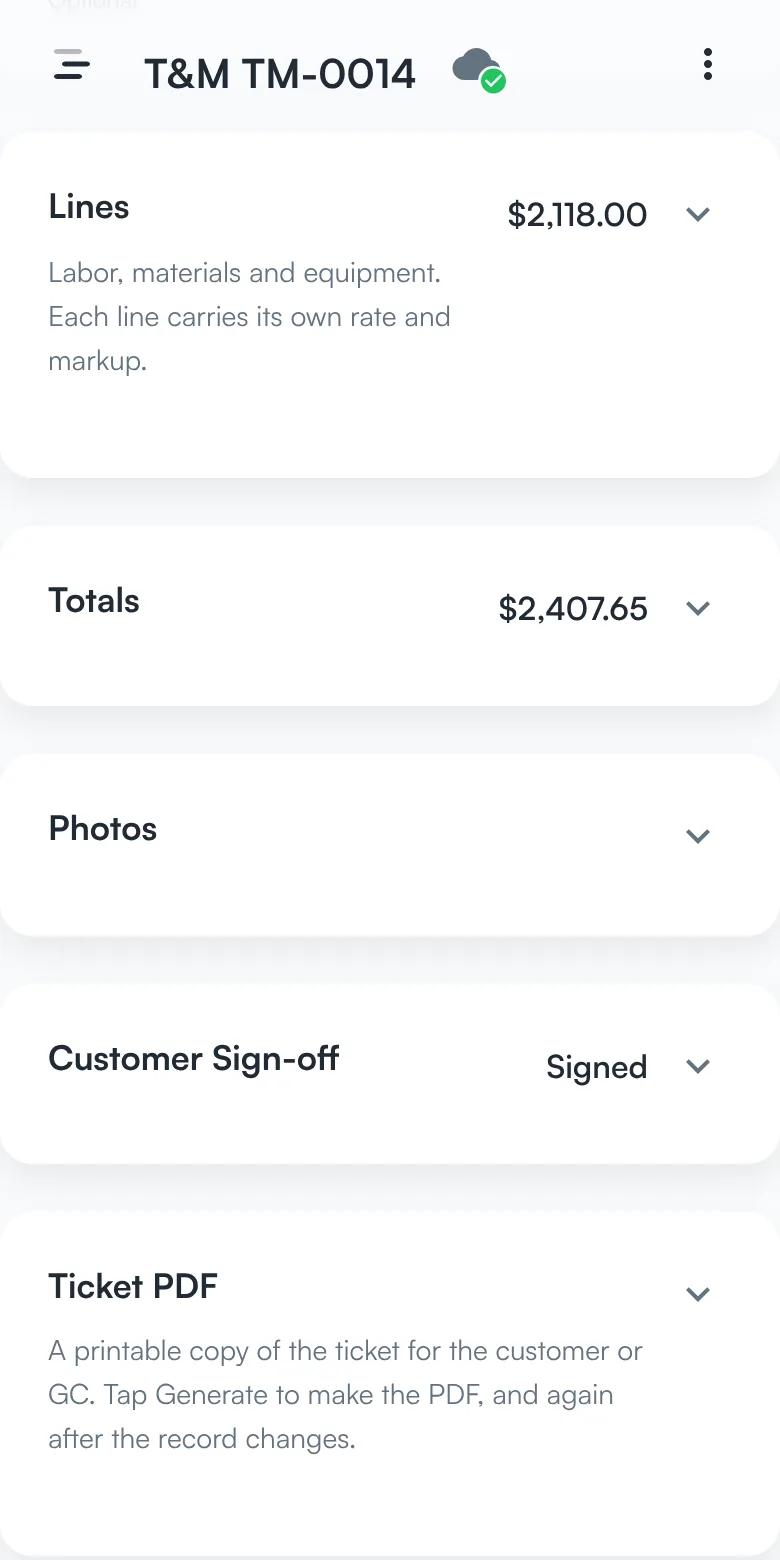
See the totals without scrolling.
Fold a section away and its header still says what it came to: the lines before markup, the ticket total, and whether the customer has signed.
Fold a section → its total stays on the header
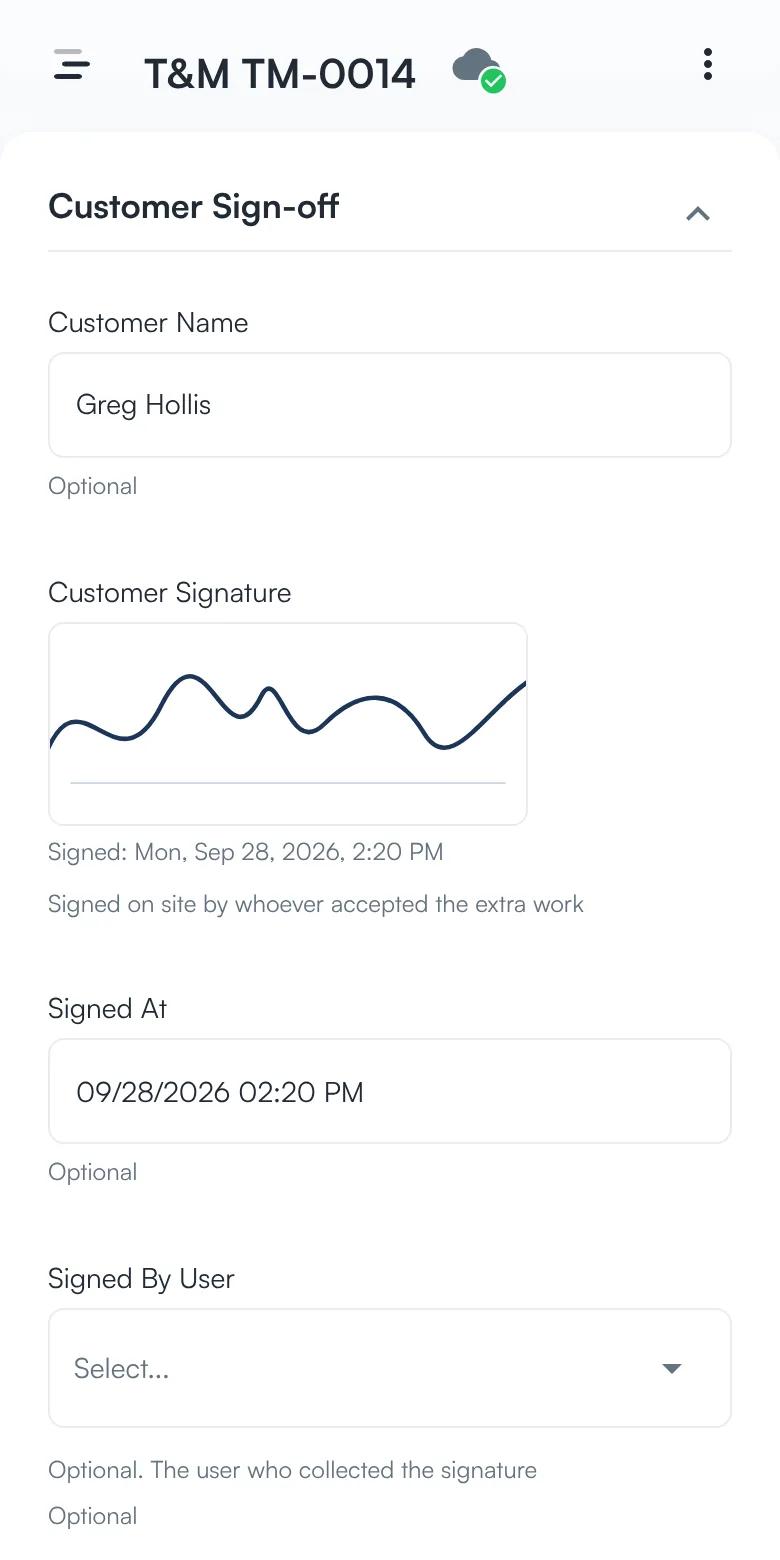
Get the customer’s signature on site.
The customer signs on the phone, and the ticket keeps who signed and when. A submitted ticket with no signature is flagged for the office.
Customer name → signature → date and time
Screens from the app, with sample data.
Capture it before the crew leaves the site.
Record the work
The foreman creates a T&M ticket and describes the extra work.
Add labor, material, and equipment
Record exactly what was used without calling the office.
Attach evidence
Take photos directly from the jobsite.
Get acknowledgement
Capture a signature while the people who requested the work are still there.
Send it to the office
The completed ticket is available for pricing, change orders, or billing.
Your field team does not need another complicated construction system.
They see the information they actually need:
Project
Extra Work
Labor
Materials
Equipment
Photos
Signature
Nothing else needs to be on their screen.
BizAppKit can hide billing rates and financial information from field users while keeping them available to office staff.
No signal? Keep working.
Basements, mechanical rooms, large jobsites, concrete structures, and remote locations do not always have reliable service.
BizAppKit lets the field team continue entering tickets and taking photos offline.
The data syncs when a connection becomes available again.
Adapt it to your T&M process.
Every contractor handles extra work a little differently.
You can configure:
Required fields
Labor categories
Material units
Equipment types
Cost codes
Approval statuses
Signature requirements
Photo requirements
Markups and rates
Roles and permissions
PDF layout
You do not have to redesign your process around somebody else’s software.
From field work to office documentation
- Extra work
- Labor & materials
- Photos
- Signature
- Office
Keep the evidence attached to the work instead of scattered across paper tickets, text messages, and camera rolls.
Build the T&M workflow your crews will actually use.
Start with your existing process and configure the field app around it.
Try the T&M App