
Turn your inspection checklist into a field app.
Give crews the exact QA/QC checklist your company uses, with photos, pass/fail results, and corrective actions built in.
Try the Inspection AppOr customize it to your own workflow
We’ll use this app as a model and build yours from your description or file.
Your checklist should match the work you perform.
An electrical rough-in inspection is not an HVAC inspection.
A roofing checklist is not a concrete pre-pour checklist.
BizAppKit lets you configure inspections around your trade instead of forcing every contractor into the same generic form.
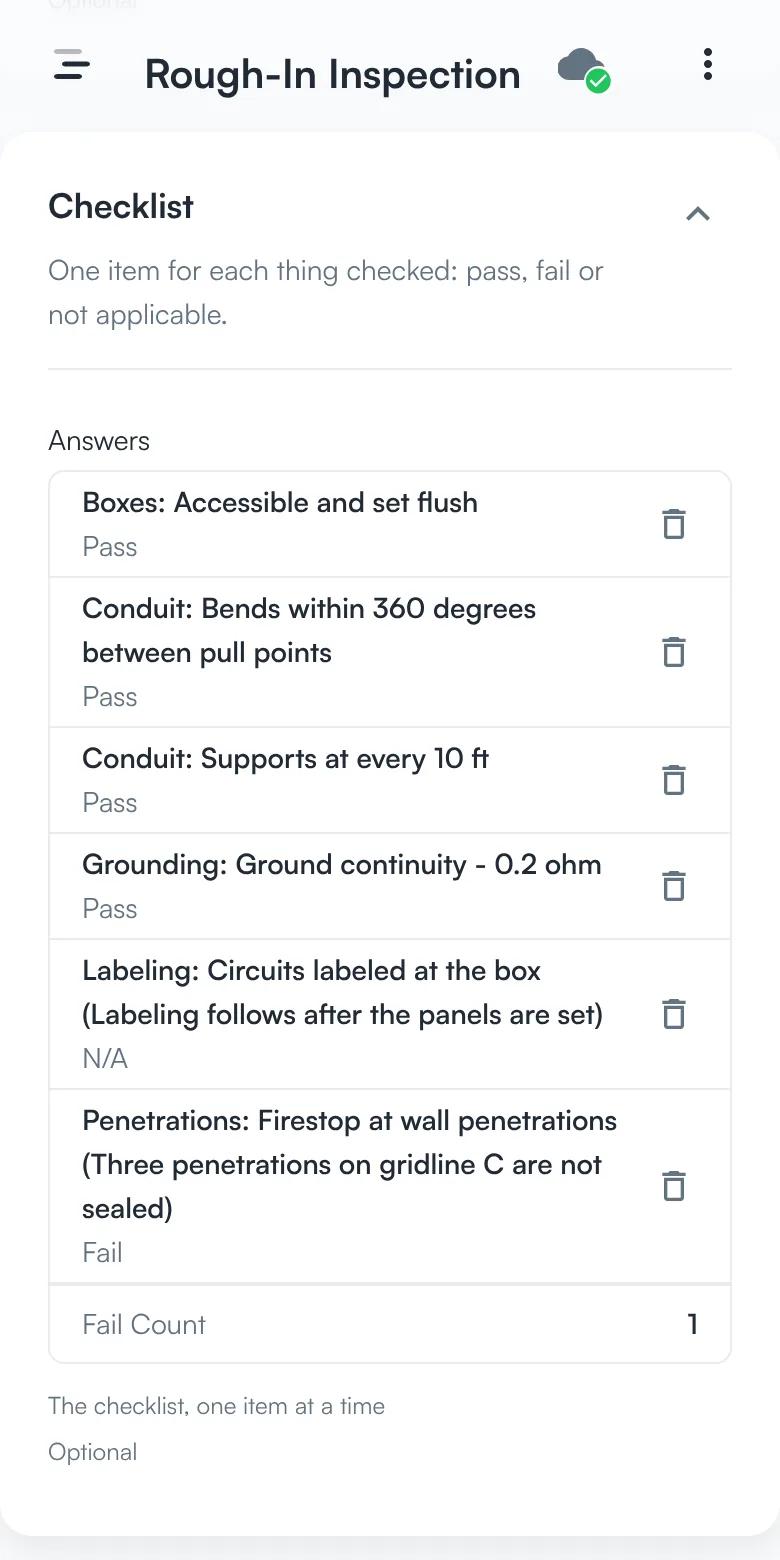
See the checklist your inspector fills in.
Check each item on the spot.
Each item is a pass, a fail, or not applicable. Add a reading or a comment where the answer needs one.
Item → pass, fail, or N/A → reading → comment
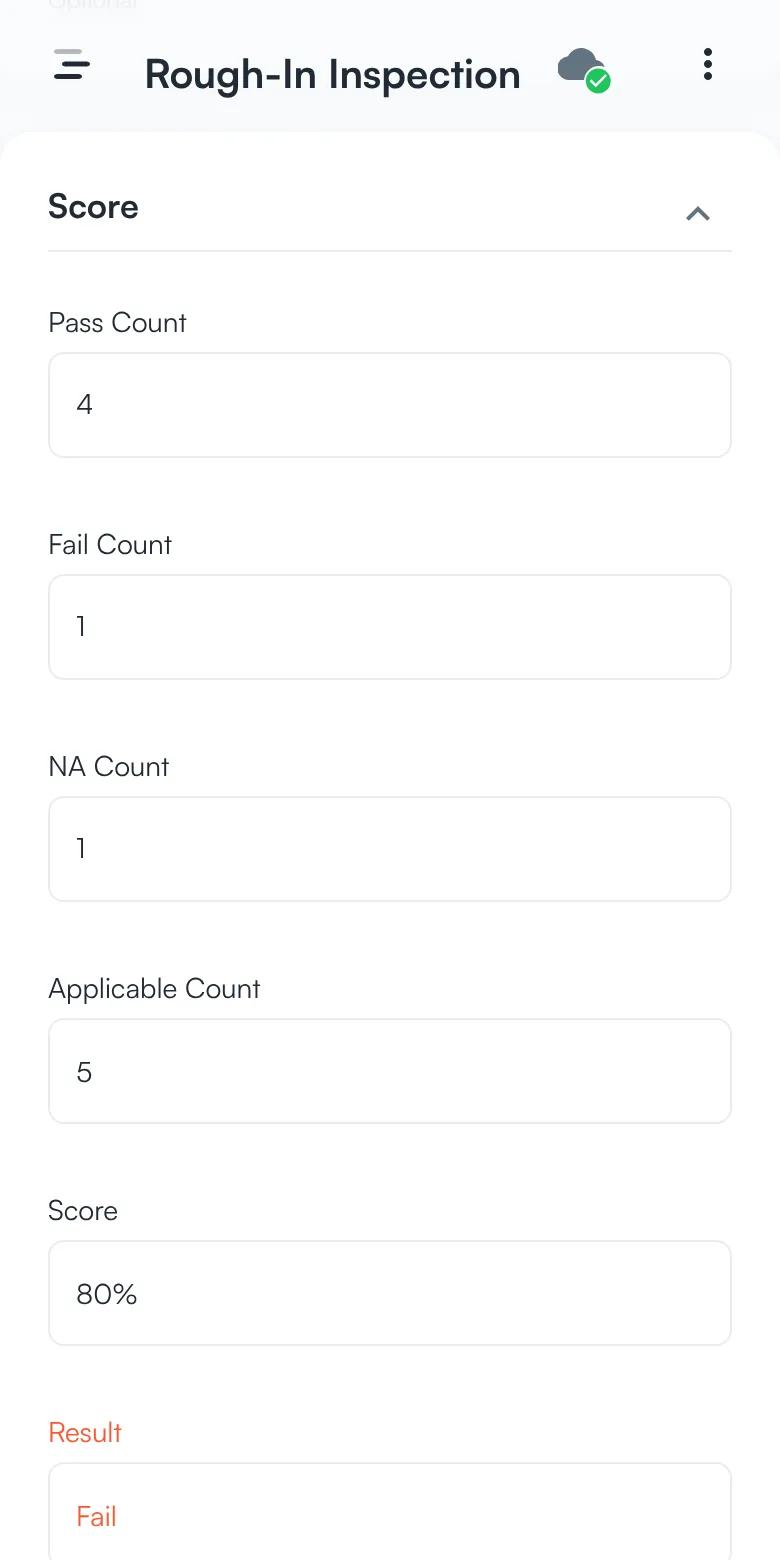
Let the score work itself out.
Passes, fails, and not-applicable items are counted for you. The score is the share of applicable items that passed, and one failed item marks the inspection as failed.
Pass count ÷ applicable items → score → pass or fail
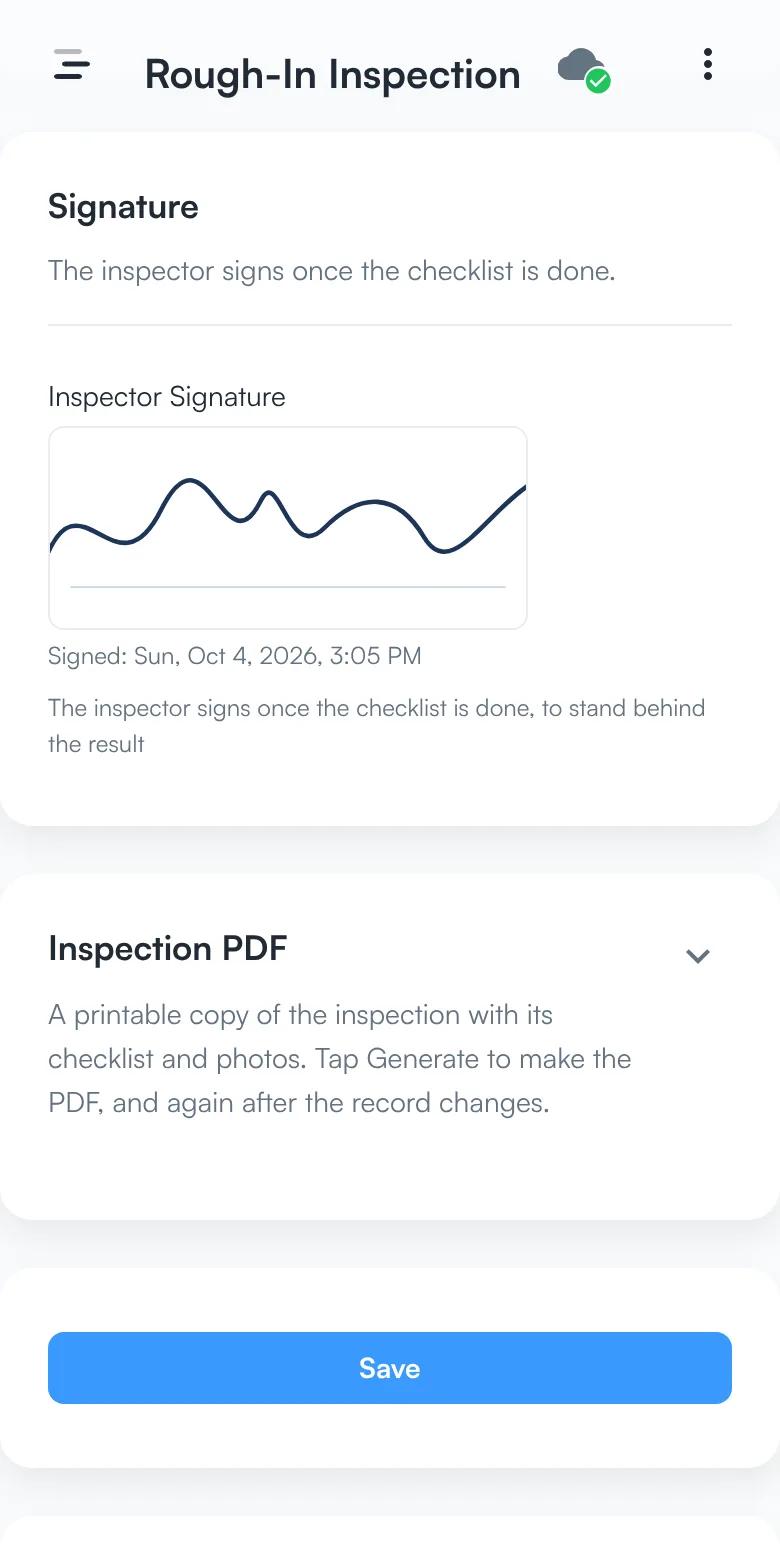
The inspector signs it.
The inspector signs once the checklist is done, and the signature prints on the inspection PDF.
Checklist done → inspector signature → PDF
Screens from the app, with sample data.
An inspection can include:
Sections and checklist items
Pass / Fail / N/A
Measurements
Required photos
Comments
Inspector
Date and location
GPS
Signatures
Automatic score
Overall result
A failed item can become work.
When something fails, you can automatically create:
Issue
Corrective Action
Punch Item
Assign it to someone, set a due date, attach the inspection evidence, and track it until completion.
No copying the same problem into three different systems.
Example: Electrical Rough-In
Conduit supports
Pass
Box locations
Pass
Fire stopping
Fail
Required photo
Added
Corrective action
Assigned to Crew 3
Inspection result
FAIL
The result is calculated from the checklist automatically.
Build different inspections from the same system.
Examples:
Electrical rough-in
HVAC installation
Plumbing installation
Concrete pre-pour
Roofing quality check
Fire protection installation
Equipment inspection
Site safety inspection